Why Small Architecture Studios Need a Clear Rendering Strategy
Small architecture practices often work with the same design ambition as larger firms, but they rarely have the same production resources. A compact team may handle concept design, client communication, consultant coordination and visual presentation at the same time. When deadlines tighten, rendering can quickly become a bottleneck.
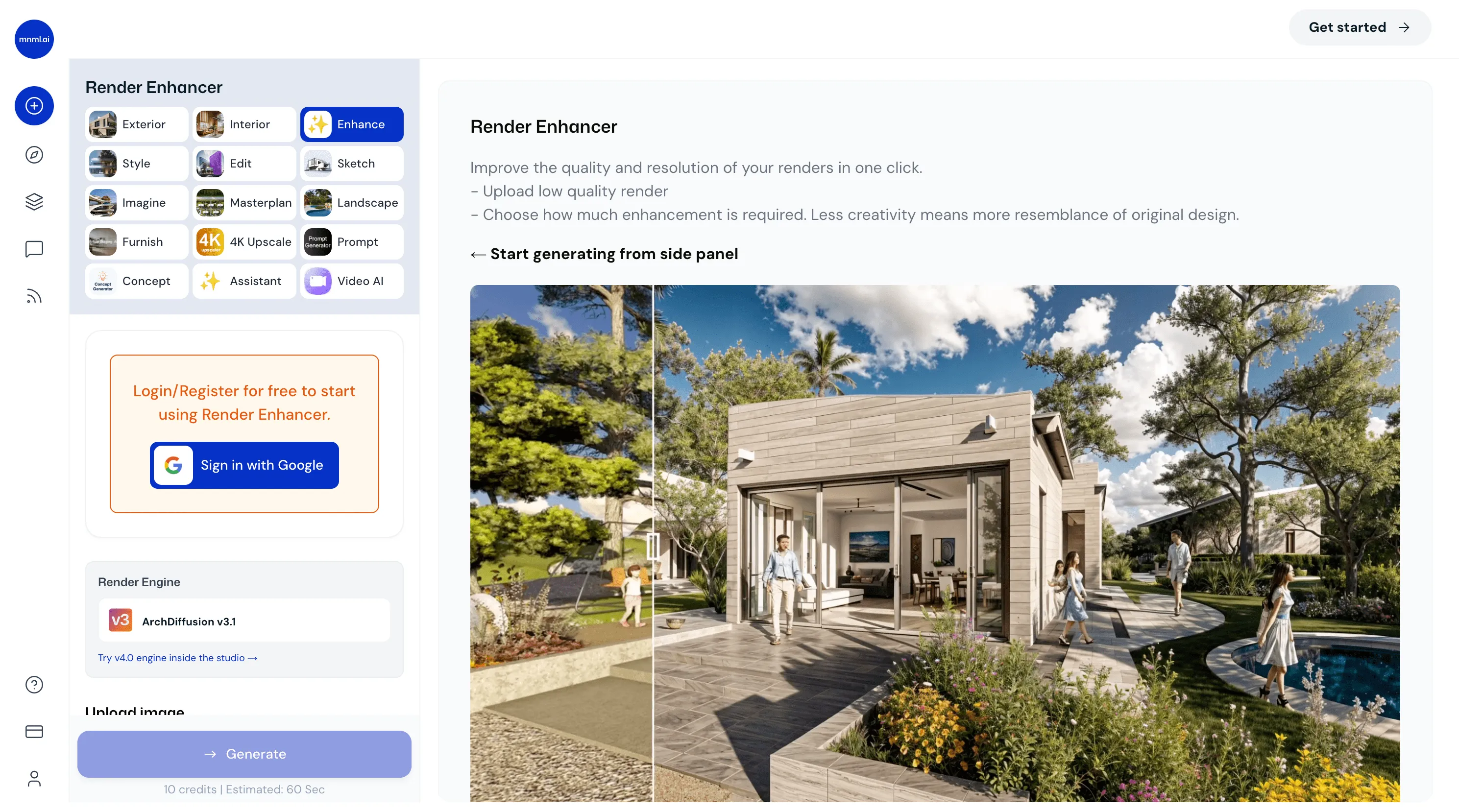
That makes visualisation strategy important. The question is not simply which tool can create the most impressive image. A studio needs to decide when a render is necessary, what quality is appropriate for each stage and how much time should be spent producing it. Used carefully, an AI render generator for architecture can support selected visual studies while architects remain responsible for the design decisions behind them.
Define the Purpose Before Rendering
Not every architectural image has the same job.
An early concept study may only need to communicate massing, atmosphere or material direction. A client presentation may require tighter control over geometry and finishes. A planning image may need clear context and a neutral viewpoint, while a competition board can place greater emphasis on mood.
Problems arise when a studio applies the same production standard to every situation. If an internal study is treated like a final marketing image, time is wasted refining details that may change the next day. At the other extreme, a client approval image that is too loose can create uncertainty.
Before rendering begins, the team should ask: Who will see this image? What decision should it support? How accurate does it need to be?
Keep Design Development Separate From Image Polish
A highly polished image can make a project feel more resolved than it really is. Small practices are especially vulnerable because the same person may be designing the building and preparing the presentation.
Review the architecture before refining the image. Check the plan, section, massing, circulation and relationship to the site first. If these elements do not work, better lighting and materials will not solve the underlying problem.
Rendering should clarify the design, not become a reason to stop questioning it.
Use Simpler Source Material at the Right Stage
Detailed modelling is essential when a project needs precision and coordination, but it may be unnecessary while the team is still comparing broad directions.
During concept development, a massing model, rough sketch or simple viewport may contain enough information to test an idea visually. An architect considering three facade approaches does not need to model every panel joint before comparing their overall character.
The key is to match the source material to the question. As decisions become more important, the underlying model should become more accurate. Visual shortcuts are useful only when they do not misrepresent the status of the project.
Build Repeatable Studio Standards
Small practices become more efficient when they avoid starting from zero on every project.
A studio can establish preferred camera heights, image ratios, neutral daylight settings and basic guidance for landscape or entourage. It can also define what is expected from concept images, client studies and final presentation visuals.
These shared standards reduce setup time. When viewpoints and lighting remain consistent, clients are more likely to respond to the architecture rather than presentation differences.
Choose Tools Around Workflow, Not Galleries
Software marketing often focuses on carefully selected images. Those examples may show what a platform can achieve, but they do not necessarily show how well it fits everyday architectural work.
When evaluating the best AI rendering software for architects, practices should test real project material rather than relying only on showcase images.
A useful test might include a rough sketch, a SketchUp or Revit viewport, a facade with repeated openings and an interior that needs controlled material variations. The team should also assess how easily an image can be revised after a design change.
A tool that produces one spectacular result but requires constant correction may be less useful than one that supports predictable iteration.
Keep the Architectural Model as the Source of Truth
Generative visualisation can add materials, light, vegetation and atmosphere quickly. It can also introduce elements that were never part of the design.
A window may move. A roof edge may change. Extra structure might appear. Landscaping can hide an entrance or alter how circulation is perceived.
These changes should never be accepted automatically.
The architectural model and drawings need to remain the reference point. If a generated idea genuinely improves the project, the architect can intentionally incorporate it into the model. If it does not, the image should be corrected or rejected.
This prevents presentation material from becoming a different version of the building from the one being developed technically.
Create Different Standards for Different Stages
A studio can save time by defining visual quality according to project stage.
During feasibility, a simple massing image with basic context may be enough. At concept stage, materials and landscape can become more developed. During client approval, the team may need tighter geometry and consistent viewpoints. Final marketing or competition images can justify additional refinement.
These standards make it easier to know when an image is finished. Rendering can otherwise expand indefinitely because there is always another texture, reflection or object to adjust.
Use Rendering to Improve Client Decisions
For a small practice, unclear client approvals can create significant additional work.
Visual studies can make decisions easier when presented as controlled comparisons. Two views might test facade materials while keeping the camera and geometry unchanged. Another pair could compare entrance treatments. Interior studies may explore warm and cool palettes without changing the layout.
The architect should explain what is fixed and what is still being explored. This focuses the conversation on meaningful architectural choices rather than incidental furniture, planting or decorative details that may only be illustrative.
Do Not Generate More Just Because You Can
Fast image generation can create a new form of inefficiency.
When renders are easier to produce, teams may create far more options than they need. A folder containing thirty slightly different facade studies can make decisions slower rather than faster.
Each visual should answer a question. If the unresolved issue is the entrance, the next study should focus on the entrance. If the material direction has already been selected, another set of material variations may add little value.
Curation remains part of architectural design.
Review Context Honestly
Context should not be treated as decoration.
Trees, neighbouring buildings, cars and people influence the apparent scale of a proposal. They can also hide problems. A large building may seem less imposing if foreground trees cover much of the facade.
During design review, straightforward contextual views are often more useful than dramatic ones. Studios should show important relationships honestly: the main approach, adjacent buildings, ground-level conditions and key outdoor spaces.
Protect Time for Technical Architecture
One of the strongest reasons to improve a rendering workflow is not to produce more images. It is to recover time for architecture.
Small studios need time for detailing, coordination, code review, material research and consultant communication. If visual production consumes too much of the programme, these tasks suffer.
If a team can answer a facade question with a quick controlled study instead of lengthy manual setup, that saved time can be redirected toward resolving the facade properly.
Professional Review Still Comes First
A convincing render does not prove structural feasibility, fire compliance, accessibility, waterproofing, energy performance or planning acceptability. Generated construction details may also be unrealistic.
Architects and consultants still need to verify these matters through drawings, calculations, specifications and professional review.
The more realistic an image becomes, the more important it is to explain its status. Concept visuals should be identified as concept visuals, and material studies should not be mistaken for final specifications.
Conclusion
Small architecture practices do not need the most complicated rendering pipeline. They need a visualisation process that matches the way they actually design and deliver projects.
That starts with defining the purpose of each image, keeping the architectural model as the source of truth and using different quality standards at different stages. It also means testing tools with real project material, limiting unnecessary variations and treating context honestly.
The goal is not to produce more renders simply because technology makes them easier to create. The goal is to obtain useful visual feedback without allowing image production to consume time that should be spent resolving architecture.
When rendering is treated as a design-support system rather than a separate exercise, visualisation becomes more efficient, client discussions become clearer and the studio can keep its attention on what matters most: developing a coherent, responsible and buildable project.