Why Mobile Permissions Matter More Than App Branding
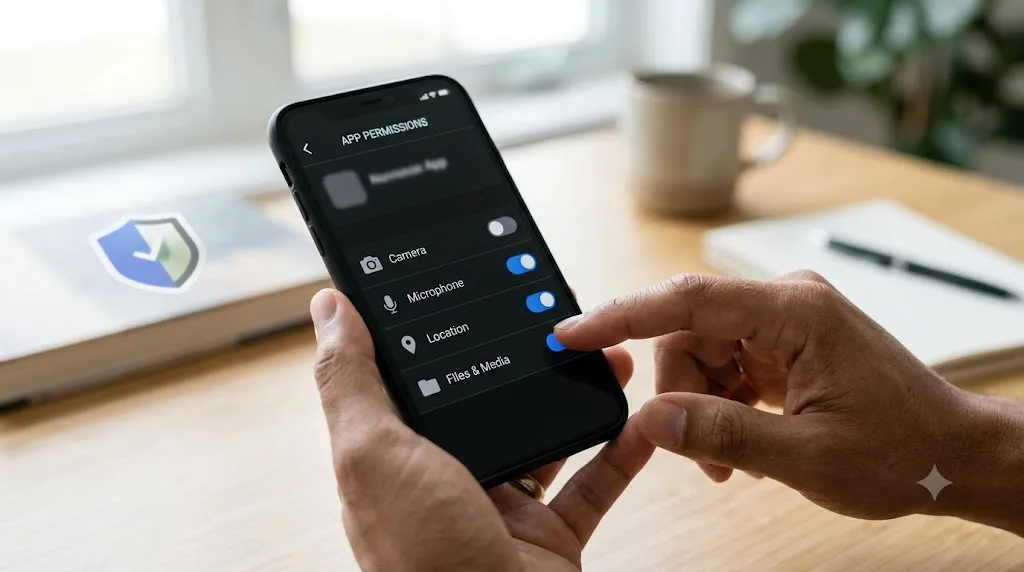
A phone application carries more than its name and colours. It can request access to messages, observe notifications and store identifiers that persist beyond a single session. Someone looking for lotus365 app information should therefore look past visual familiarity and examine the permissions that make the software work. A convincing icon is not a security credential.
Think about what happens when installing an unfamiliar app while rushing to check a match. A series of permission prompts appears, and the easiest action is to tap Allow repeatedly. Later, it can be difficult to remember what was authorised. A short, deliberate review at the beginning may prevent a much larger privacy problem.
Names are easy to imitate
A familiar word in an app title does not establish who maintains the software. Developers can choose an app name similar to an established service without being affiliated with it.
Check publisher records and the exact address before trusting a login page. The relevant identity is the verified publisher and distribution source. Search-result placement, logos and a professional launch screen do not establish ownership of the software.
Permissions create real exposure
A lotus365 login page must never justify sharing authentication codes with an unknown contact. Access to SMS, accessibility features or contacts can expose sensitive information. Contacts, SMS and accessibility access create risks unrelated to displaying scores. A permission audit takes only a few moments in most device settings and may reveal access granted long after it stopped being useful. Review permissions again after a major software update.
Decline requests that have no direct relationship to the service being used. A user should ask what specific feature requires each permission, and whether the app still functions if it is denied. Modern phone settings often allow access to be restricted or withdrawn.
An icon is not an identity check
A copied application icon can sit on a home screen for months before someone notices that the underlying source was questionable. Names and graphics are cheap to reproduce; verifiable publisher details and consistent update records are harder to fake convincingly.
When examining an installation, look at the distribution source and specific version information rather than relying on appearance. If the claimed publisher cannot be independently confirmed, it is sensible to withhold account details and avoid installing the file.
Strong accounts require clear choices
Device locks, independent passwords and recovery options limit routine compromise. A strong screen lock protects the device itself, while a unique password protects the account behind the app.
Never forward a verification code to someone claiming to be account support. These safeguards solve different problems. When available, device history and session-revocation options help contain exposure after a phone is lost or given away.
Updates should be traceable
Software without a credible release history may retain vulnerabilities for months. An application that stops receiving updates may accumulate known security vulnerabilities.
Look for clear version information and a meaningful security contact. Review version history and maintainers, not merely the date printed on the homepage. If updates arrive only as files passed between strangers, there may be no reliable method of checking authenticity.
What uninstalling leaves behind
An app removal eradicates the local app but copies of personal information might be kept on the remote servers or backups. This can sometimes only be found when advertisements keep playing even after the account appears to be deleted.
A meaningful exit process should explain data-retention periods and offer ways to request deletion or access to stored records. Users can also review linked permissions and active sessions. The aim is not merely a clean home screen, but continuing control over personal information.
Keep the option to leave
A transparent service explains deletion, sign-out and records access. Account deletion and app removal are not the same process.
Convenience becomes less convincing when users cannot easily control their personal data. Uninstalling software may leave server-side personal records untouched. Examine published data-retention terms, request channels and how to obtain a record of stored information before assuming everything has been erased.
Conclusion
A safer mobile routine rests on verified publishers, minimum permissions and practical exit options. Those researching
llootus365.com should independently establish the service’s identity and any relevant legal status as well as assessing privacy safeguards.